
Safety compliance software for fleets & field teams
Your whole safety program, in one place.
Built by PitchVio
ComplyFleet replaces paper forms, spreadsheets, and filing cabinets. Crews complete inspections on their phones, managers keep drivers, equipment, and certifications up to date, and when the auditor calls, your COR and OSHA records are already in order.
- Works on any phone
- Works offline
- Canadian COR & US OSHA
Inspections this week
38
Certifications expiring
3
Open actions
5
COR audit readiness
80%
8 of 10 elements have evidence on file
Recent activity
Pre-trip inspection
Truck 14
Hazard report
Yard B
Toolbox talk
Crew A
What it does
From the job site to the audit, in three steps
Safety paperwork usually lives in clipboards, inboxes, and spreadsheets. ComplyFleet brings it into one system your whole team uses.
Collect
Drivers and field crews complete inspections, hazard reports, and incident reports on their phones — even with no signal.
Track
Every driver, vehicle, piece of equipment, certification, and policy lives in one place, with expiry dates and overdue inspections flagged for you.
Prove
When the auditor calls, your evidence is already organized against the 10 COR elements and your OSHA 300 log is up to date with every case you've recorded.
Who it's for
Built for trucking, logistics, and industrial teams
Safety managers
Run the whole safety program and see what needs attention at a glance.
Fleet managers
Keep every driver file and vehicle record current and complete.
Drivers & field crews
Fill in forms in minutes from the truck or the job site.
Auditors
Review evidence through a secure, read-only link — no binders.
Features
Everything your safety program needs
One platform instead of a stack of paper forms, spreadsheets, and separate apps.
Inspections & safety forms
20 ready-made forms — pre-trip inspections, hazard and incident reports, toolbox talks, driver orientation, and more — plus a drag-and-drop builder for your own.
Works on any phone, even offline
No app store needed. Once the field portal has been opened online, forms filled in with no signal are saved on the device and sent when the connection is back.
Driver & equipment files
Driver licences with class, status and expiry, worker certifications and tickets with expiry dates, and an equipment registry with meters and status.
Scheduled inspections
Set daily, weekly, monthly, or yearly inspections once. Due dates move forward on their own and missed inspections are flagged as overdue.
Incidents & corrective actions
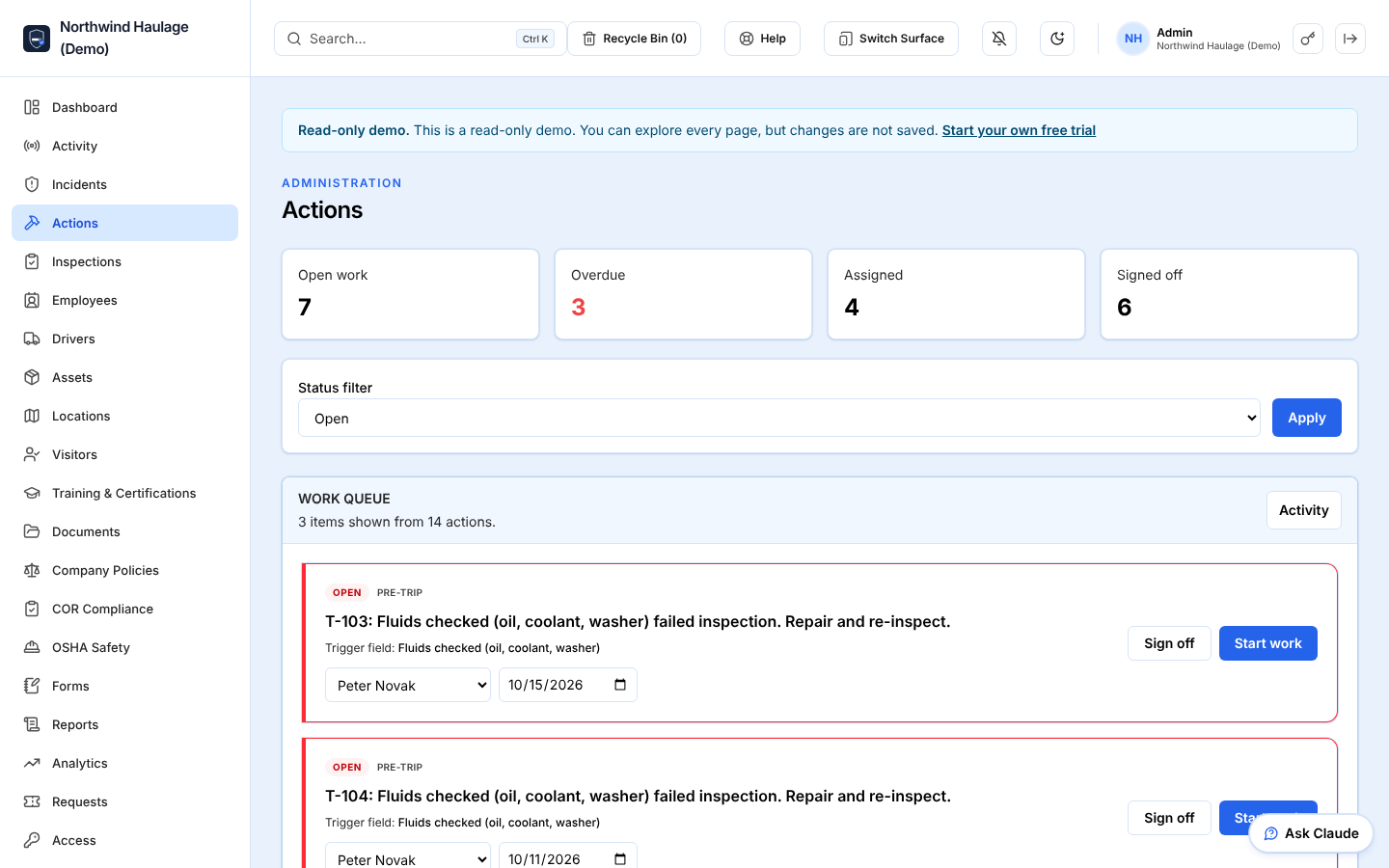
Log incidents and near misses, assign corrective actions to a worker with a due date, and follow each one through to sign-off. Overdue actions and expiring tickets trigger reminder emails.
Policies & acknowledgements
Publish a policy once. Workers must acknowledge the current version before carrying on, and you see who has and hasn't.
COR audit readiness
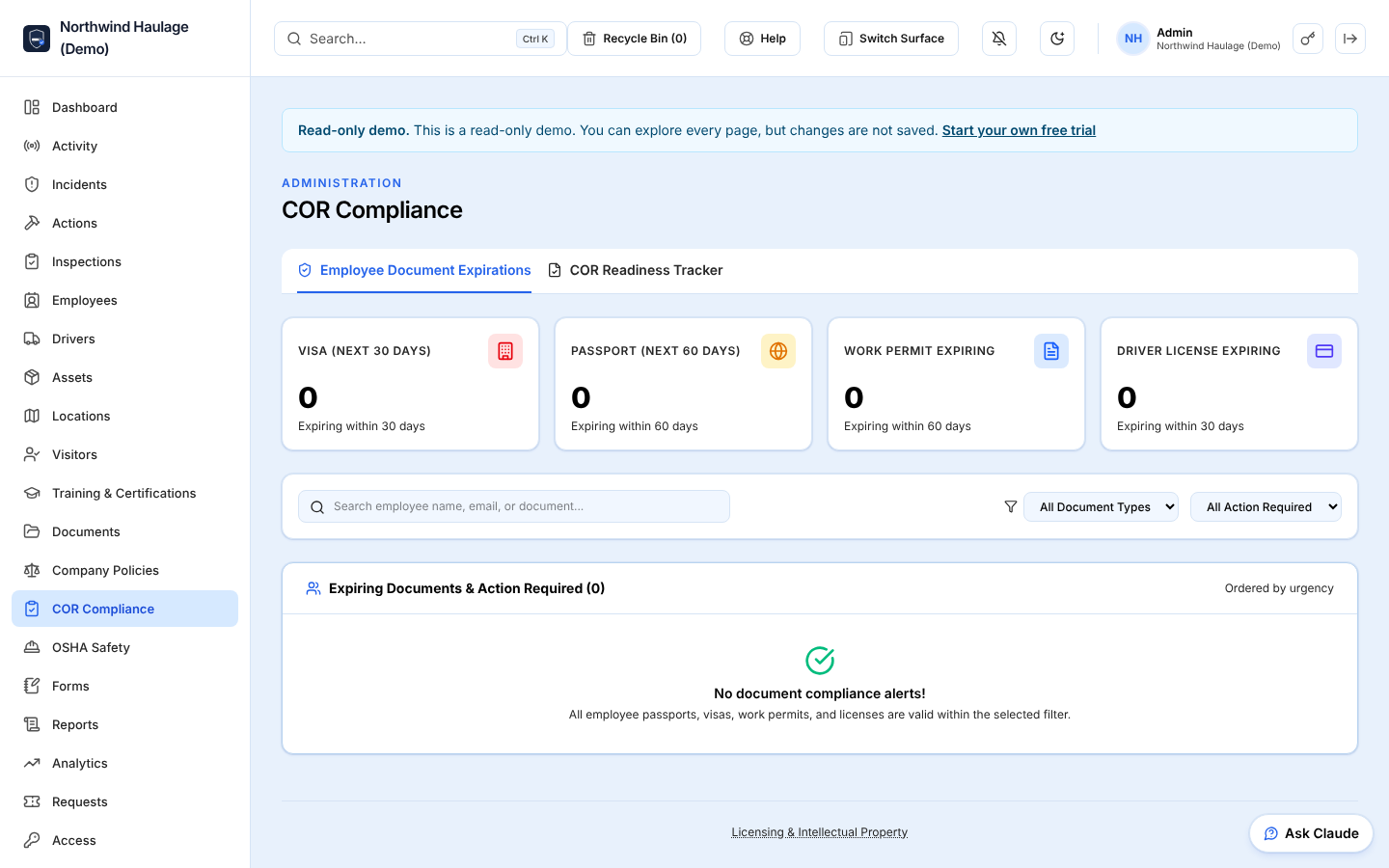
A 10-element COR evidence tracker with Alberta and Ontario views: attach documents to each element, see which elements still have no evidence, and give your auditor a read-only link. An organisation aid, not an official audit tool.
OSHA logs & reports
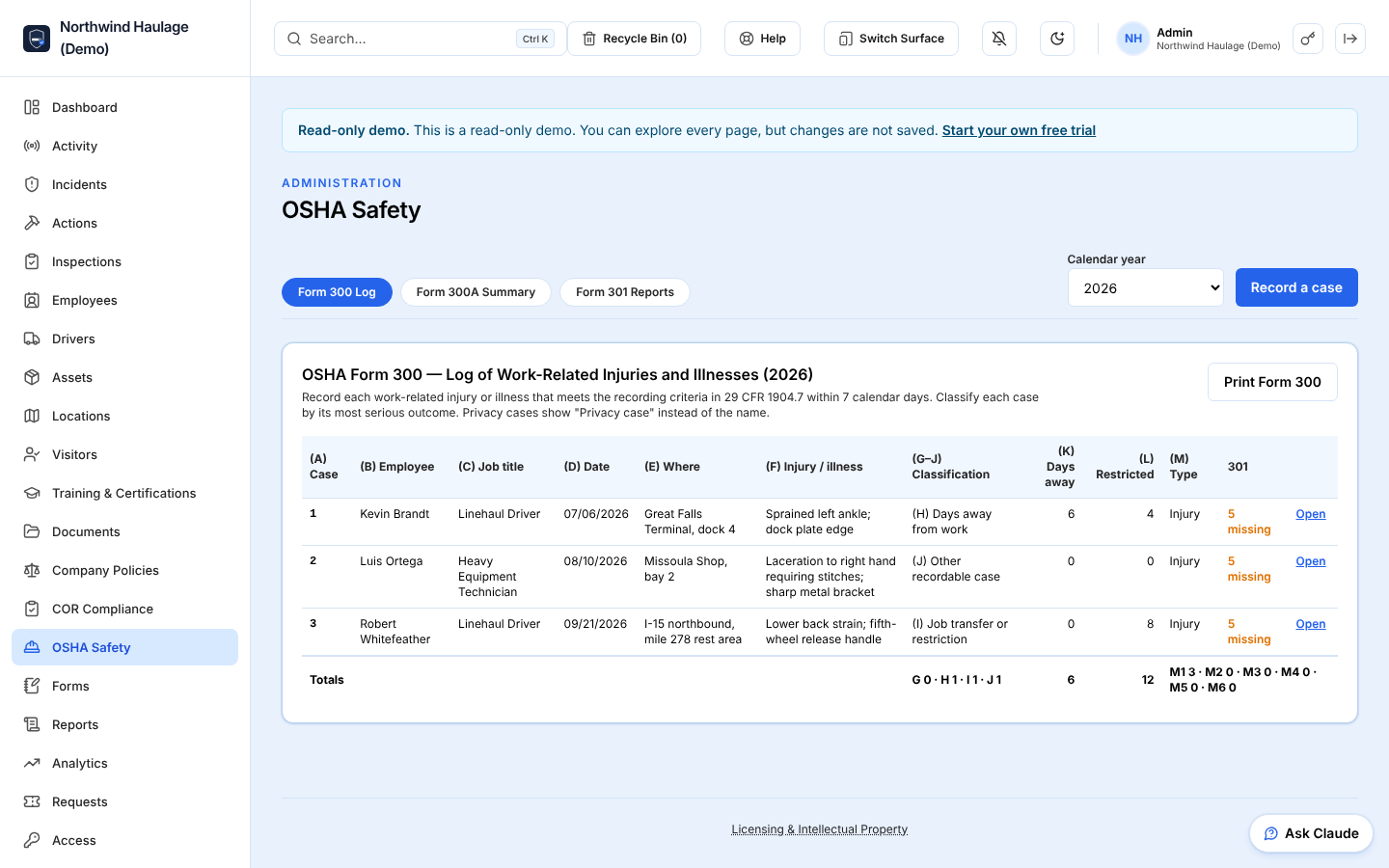
Record each case once — from scratch or from an injury in your incident log — and get the OSHA 300 log, 300A summary and 301 reports, with TRC and DART rates.
In the field
Made for the truck and the job site
Your crews don't sit at desks. ComplyFleet works on the phone they already carry, with photo capture and forms that keep working when the signal drops.
- Pass / fail checklists, photos, and sign-off in one form
- Saves on the phone with no signal and sends it once you're back online
- Add to the home screen — no app store download needed
Daily pre-trip inspection
Truck 14 · Sample data
Sends automatically when back online
Audit-ready
Built around the audits you're actually held to
Whether you operate in Canada, the US, or both, your records are organized the way auditors and regulators expect.
COR audit readiness
A generic 10-element COR evidence tracker. Each element lists the questions an auditor typically asks and the proof they expect; you attach your documents, see which elements still have no evidence, and give your auditor a secure, time-limited, read-only link instead of a binder. Element wording differs between certifying partners, so confirm against your partner's own audit tool.
- 1Management leadership & commitment
- 2Hazard assessment
- 3Hazard control
- 4Joint health & safety committees
- 5Qualifications, orientation & training
- 6Other parties at the work site
- 7Inspections
- 8Emergency response
- 9Incident investigation
- 10System administration
OSHA recordkeeping
Turn an injury from your incident log into an OSHA case: the date, location and description carry over, you classify the outcome and day counts, and the 300 log, 300A annual summary and 301 incident report are produced from those entries — no re-typing into a spreadsheet at year-end. TRC and DART rates use the hours you enter.
The product
See what you get
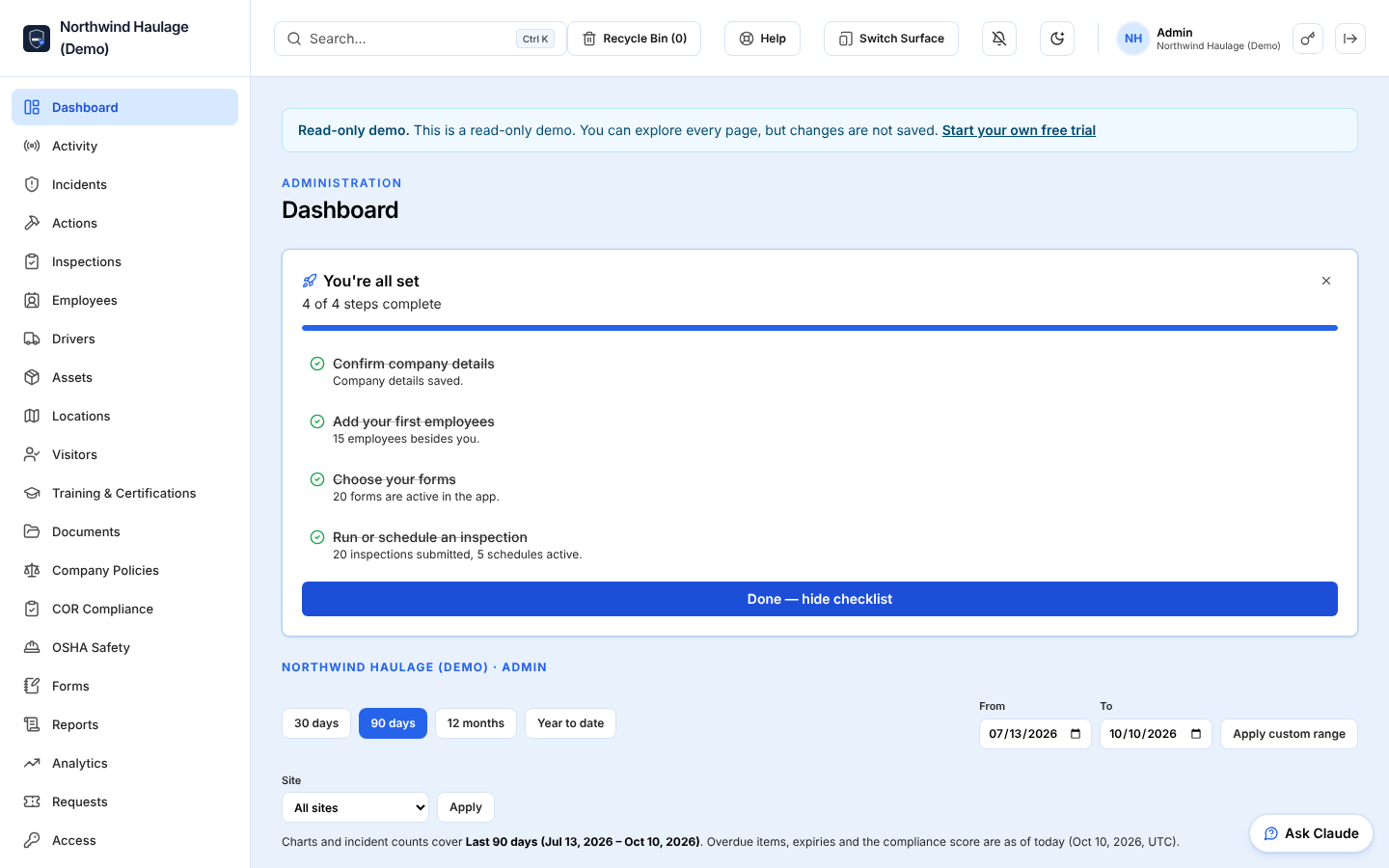
Screens from the product, captured from the read-only demo company.
Plans start at $99/month, with a 14-day free trial. See pricing
Security
Your safety records, protected
Safety records include personal and incident information. ComplyFleet is built to keep it private and accountable.
Your data stays yours
Every company's records are walled off at the database level, so no other company can ever see them.
The right access for every role
Five permission levels, from worker to super admin, so people only see and change what their job needs.
A record of every change
Important actions are written to an audit trail that can't be edited, so you always know who did what, and when.
Tested access rules
Tenant isolation, role permissions and the subscription read-only mode are enforced in the database and covered by automated tests that run on every change.
FAQ
Common questions
What is COR?
COR (Certificate of Recognition) is a Canadian health and safety certification. Companies earn it by passing an audit of their safety program across 10 elements. Many clients and government contracts require it. ComplyFleet keeps the evidence for each element organized so the audit goes smoothly.
Do my workers need to install an app?
No. Workers open the site in their phone's browser and sign in. They can add it to their home screen so it opens like an app.
What happens when there's no signal?
Open the field portal once while online so it's stored on the phone. After that, forms completed without signal are saved on the device and sent when the phone is back online and the app is active — or in the background on Android.
Can we use our own forms?
Yes. Start from the 20 ready-made forms, which include photo capture and a sign-off step, or build your own with the drag-and-drop form builder using text, choice, pass/fail, date, time, and number fields. Custom forms can also capture photos, PDFs, a drawn signature, GPS location, and pick equipment and workers.
Can other companies see our data?
No. Each company's data is isolated at the database level, and within your company, access is limited by role.
How do we get started?
Create your company account, invite your team, and start with the ready-made forms. Every new company gets a 14-day free trial. After that, an administrator subscribes under Settings → Billing to keep adding records; existing records stay viewable and exportable.
About PitchVio
The company behind ComplyFleet
PitchVio is an independent software studio, founded in 2026 by Bhargav Thapar. ComplyFleet is its product: a multi-tenant safety compliance platform for fleet, trucking, and industrial teams, covering US OSHA recordkeeping and Canadian COR audit readiness.
- Founded
- 2026
- Founder
- Bhargav Thapar
- Based in
- India
Questions? Email hello@pitchvio.com or read more about PitchVio.
Get your safety program out of the filing cabinet
Set up your company, invite your team, and start with 20 ready-made forms today.